
LED Studio, room lighting you design
An addressable LED strip runs around the walls, and LED Studio turns it into studio lighting you control from a phone or PC: wall by wall, LED by LED, or to the beat of the music.
- 1000LEDs per controller
- 23lighting effects
- 3apps: Android, desktop, CLI
- 0cloud accounts needed
Features
Everything a studio needs from its lights
Plan the strip, paint the room and switch effects in seconds, without a cloud account.
Room layout
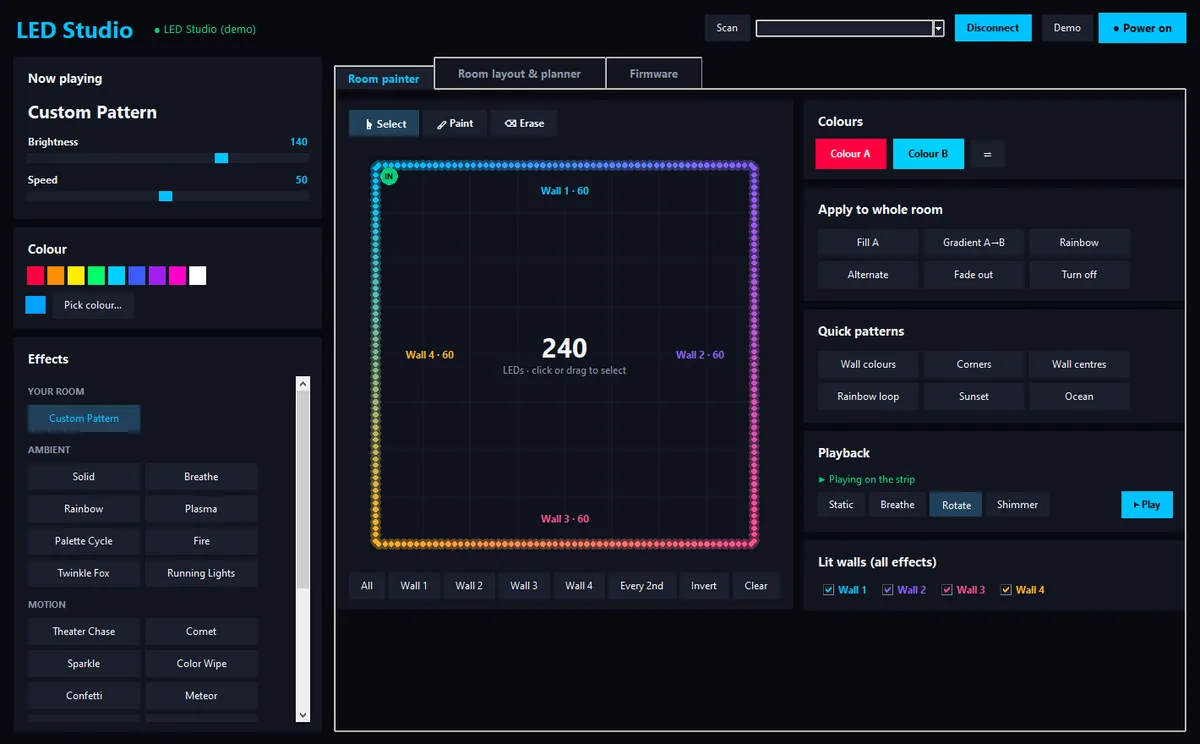
Set the LEDs on each of four walls, the corner where the strip starts and its direction. Walls without strip, such as a door, are set to zero.
LED planner
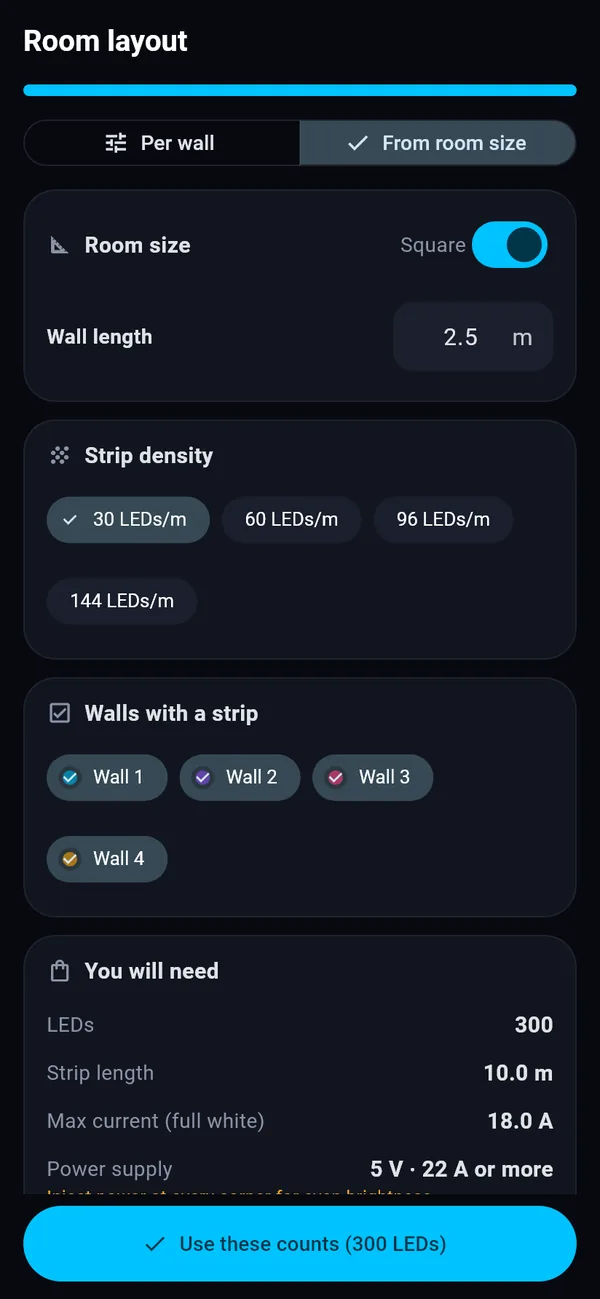
Enter wall lengths and strip density; it calculates LEDs per wall, strip length, maximum current and the power supply you need.
Room painter
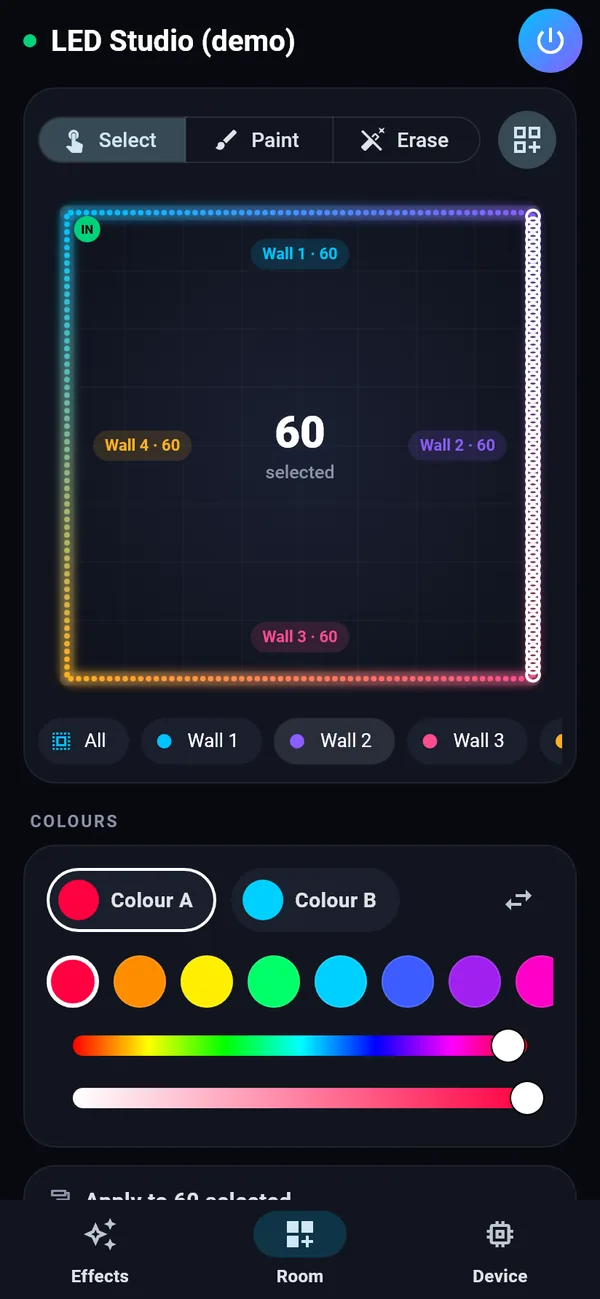
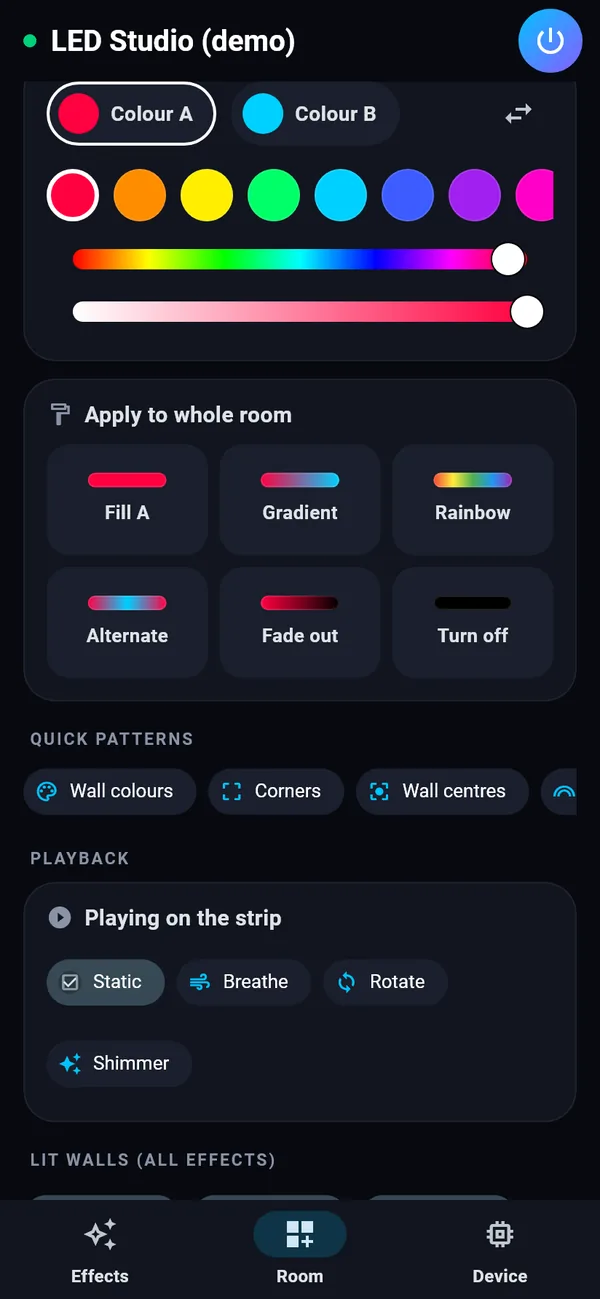
Select LEDs on a drawing of the room, whole walls or patterns, then fill, blend, paint or erase. Static or animated, saved on the device.
23 effects
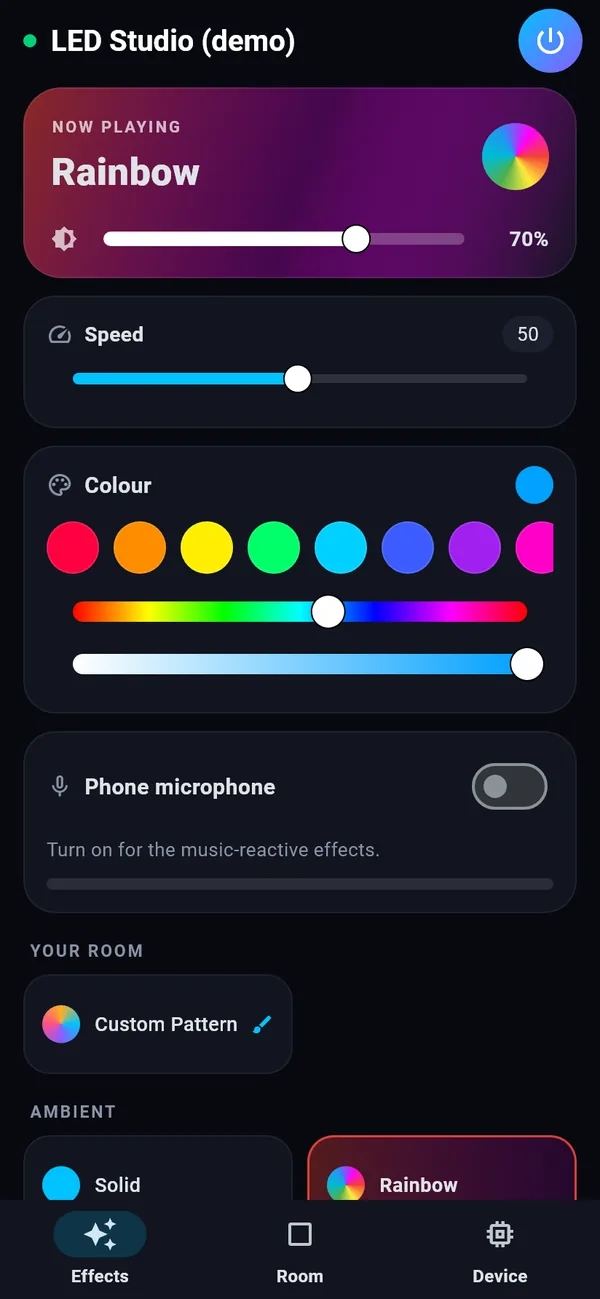
Ambient, motion and music-reactive effects with brightness and speed control.
Music-reactive
The phone microphone drives the bass response, so the room moves with the music.
Bluetooth only
No Wi-Fi or cloud account. Control, live pixel updates and firmware updates all run over Bluetooth LE.
The app
Phone, desktop and command line
An Android app, a desktop app for Windows, macOS and Linux, and a command-line tool for automation, plus a demo mode to try it without a strip.
Specifications
Under the hood
A low-power Bluetooth controller drives every LED individually, with a configurable power limit so a full room never asks more of the supply than it can give. Our guide to planning studio LED strip lighting explains the numbers.
| Controller | Low-power microcontroller with built-in Bluetooth LE and over-the-air firmware updates |
|---|---|
| LEDs | Addressable RGB strip: every LED shows its own colour, up to 1000 LEDs per controller |
| Power | 5 V supply with a software current limit and brightness cap that protect the supply and the strip |
| Wireless | Bluetooth LE for control, live pixel updates, audio level and over-the-air firmware updates |
| Apps | Android, desktop (Windows, macOS, Linux), command-line tool |
| Start-up | Quiet boot: a short green blink, then the saved effect |
For product teams
Your lighting product, built on LED Studio
LED Studio is the same kind of work as our medical prototype Hridya: embedded firmware on a low-power Bluetooth chip, a reliable wireless protocol with firmware updates, and apps that make a complex device simple to set up.
We can adapt the firmware, hardware and apps to your product, brand and features, or apply the same skills to a different connected device. See also industrial IoT devices.
Discuss a custom versionWhich rooms is LED Studio for?
Content-creator and video studios, photo studios, gaming and streaming rooms, cafés and small event spaces: anywhere a strip runs around the walls and someone wants control from a phone or PC.
How many LEDs can it drive?
Up to 1000 individually controlled LEDs on one controller, for example a 4 × 3 m room at 60 LEDs per metre is 720 LEDs. The built-in planner works out the strip length, current and power supply size.
Does it need Wi-Fi or a cloud account?
No. Control and firmware updates both run over Bluetooth, from the Android app, the desktop app or the command line.
Can you build a custom version for our product?
Yes. We can adapt the firmware, hardware and apps to your lighting product, brand and features.
Want LED Studio for your studio, or a lighting product of your own?
Tell us about the room or the product you have in mind. We reply with questions and a first plan.